

The Broke Author's Guide to Running the Business: Part 1
What’s free, what’s affordable, and what’s probably draining your wallet

Author’s Note: I originally outlined this as a single article, but the information and insights available—even condensed—started to push the word count into “novella” ranges. Make sure to subscribe so you don’t miss Part 2 coming next week!

A few years ago, I had a very lucrative ghostwriting contract that paid for everything I needed, started paying off debt, and bootstrapped my indie bookstore when I moved from Chicago back to Iowa.
It was nice. It was a decent income as incomes and freelance work goes. After a lifetime of growing up in financial instability and impoverishment that followed me well into adulthood, I finally felt like I could breathe.
Like I could finally invest in myself as an author: get all the resources, subscribe to whatever I needed, start planning out a little warehouse situation for my physical stock, maybe even finally delve into paid advertising.
Until the morning I received my last paycheck.
With the single paragraph informing me that—despite looking forward to the next projects as we’d discussed the night before—they were canceling my contract effective immediately.
No warning.
No severance.
No consideration for the fact that they’d all but demanded I make their publishing house my full-time focus (I still have that message where the Supervising Editor literally said so, verbatim).
Everything that happened afterward was like watching the dominos of my life fall at an accelerating rate: I lost my home, I lost the first location for the bookstore, I lost roughly 90% of my personal belongings in both scenarios because hahahahahaha the two landlords ended up being a lot closer connected than I ever knew (that could write its own cozy mystery novel, I swear), and my best friend of 20+ years who’d been my roommate and business partner literally packed up and left.
I’m not saying this to throw a pity party for myself. Promise.
I’m sharing all this to emphasize that I truly, deeply, from experience that cripples a lot of people and damn near crippled me, know this to be true:
You can be a successful independent author on an exceptionally tight budget.
The economy—at least in the USA—is terrible. The job market is worse, especially for creatives and writers who the AI programs are trying to take advantage of. The listings on LinkedIn are nauseating. Bills keep piling, prices at the café where we need a desperate little escape keep going up, and I’m seeing people asking all over social media and the news, “What can we do in times like this?”
I asked myself the same question. The answer that whispered back?
Write.
You can lose everything, but you can’t lose your stories. No one can take that from you.
I rolled with it. For the first time in my life, I shifted my full-time focus into my authorship.
Which kinda felt like a terrible joke because I didn’t have a single dime to bootstrap this endeavor at all. And I knew from firsthand experience as both an author and an editor that publishing is not something that can be done completely free—in fact, it can get very, very expensive!
So as you’re reading this article and taking notes from this list, please keep in mind that what I’m about to share with you literally, genuinely comes from the kind of experience and budget that cannot afford anything more. I’m not someone with a W2 who’s “broke” after expenses are deducted from a still-decent paycheck.
When I say, “broke”, I mean scraping the bottom of the barrel because I ain’t got much, but I got determination.
Affiliate Notice
Many of the links attached to this article are affiliate links which, if utilized to sign up for the resources, will earn me some coffee money at no additional expense to you. In fact, even signing up for ProWritingAid’s free tier still helps me out!
There are also links not affiliate-based and simply attached to make finding the stuff easier for you.
What’s available for FREE
I’ll frame it in a note/disclaimer: you don’t have to keep everything at the free level forever, if you don’t want to. One day you might be rolling in more than enough dough to treat yourself and your authorship to some higher-tier, higher-budget luxury and there is nothing wrong with that!
But until that day comes?
Free is where it’s at—and where stability can still happen while you get your Organic Marketing figured out.
Email Marketing: Kit (formerly ConvertKit)
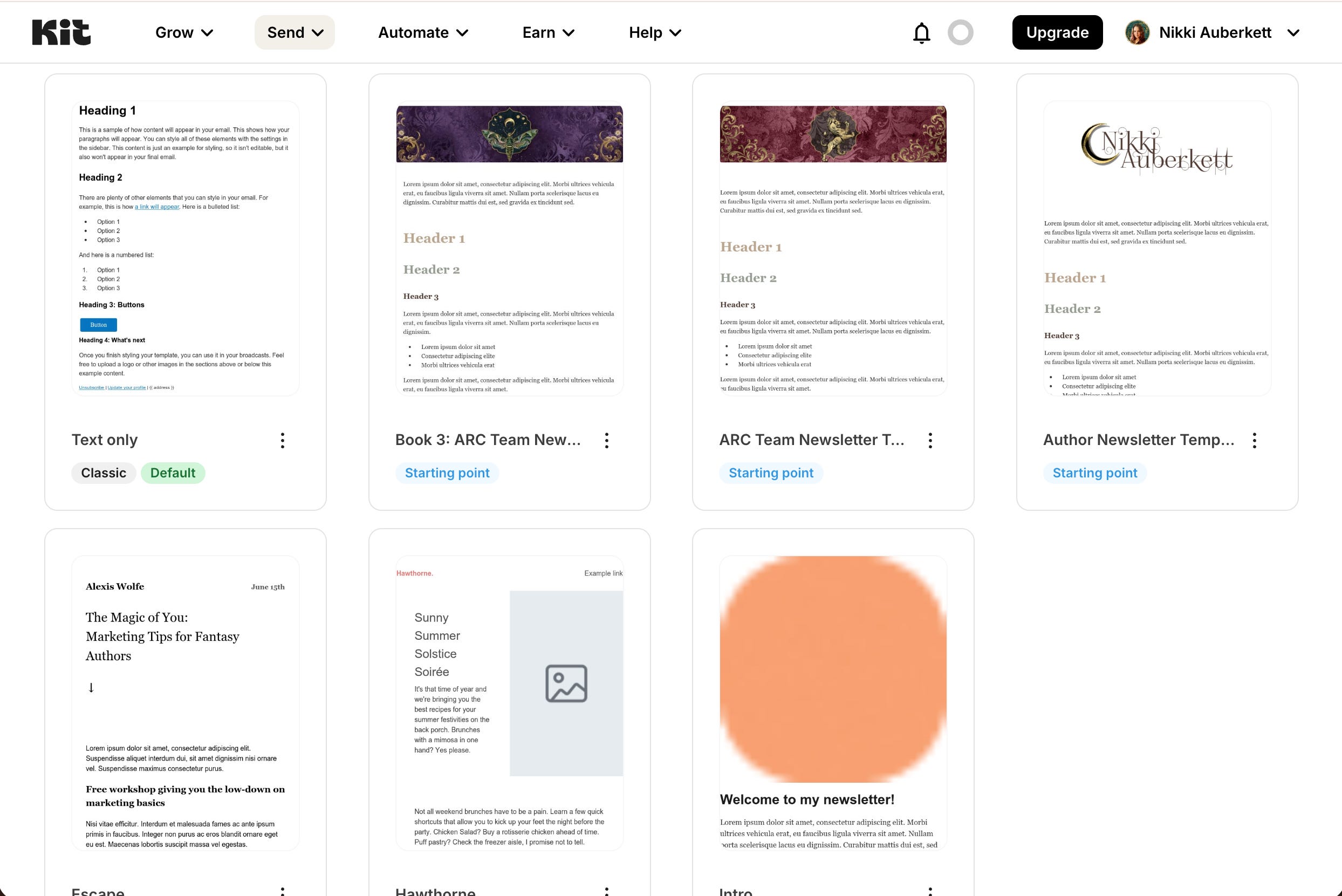
You do have to specifically request The Newsletter Tier. Make sure if/when you sign up, you’re specifically on this tier; you might have to contact Customer Service just in case there’s a hiccup (it’s happened; they’re awesome and will get you fixed up ASAP).
Kit’s Newsletter Tier is 100% FREE and includes:
10,000 subscribers
1 basic Visual Automation
Unlimited landing pages & forms
Unlimited email broadcasts
Audience tagging & segmentation
Sell digital products & subscriptions
The only feature I wish was included but currently isn’t is the Poll. You can, however, use pollkit.co to embed simple polls for free up to 5 uses and then super duper affordable (like, $2 or $10 for a pack) poll options if/when you need more.
Because Kit has been around for so long, it plugs into everything everywhere without the need for external hookups like Zapier. It’s a clean, easy-to-use interface, the emails can be as plain or as gorgeous as you want them to be, and tracking performance is so incredibly detailed as well as easy to understand.
My one beef with them is that upgrading to a Paid Plan drops from 10k subscribers to 1k before the “pay more while you grow more” grossness kicks in. I did contact them directly to suggest smoothing out the transition better—but honestly, if you’re not running a giant empire that needs multiple automations and native polls and other features? Newsletter works beautifully right where it’s at.
Graphic Design: Canva
This is one that you’ll want to upgrade once the budget allows (more on that in Part 2), but you can still get a lot done on the Free Tier. I’ve designed my book covers and social media graphics during months I couldn’t swing the $16, and as long as I don’t need to download a transparent PNG, I’ve been able to manage just fine.
Canva is what I like to call a “craft table”: upload your graphic assets and assemble them on a size template like you’re scrapbooking. Snip a corner here, rotate a graphic there, jazz up a basic font to look cool—please for the love of everything STOP USING CINZEL DECORATIVE—and badabing!
There’s your Instagram post.
Or email newsletter header.
Or new logo.
Or maybe even your next book cover.
Link in Bio: Beacons

Read this before you pass judgement: their URL was beacons.ai long before they actually implemented Artificial Intelligence into the platform. I think it may have been the country code? Like .ca or .uk? I don’t know the details. I just know that everyone reading this needs to know I am not promoting an AI platform or genAI usage.
What I am definitely recommending is the most beautiful and easy-to-use Link in Bio solution I’ve tried and tested in the past few years and happily, currently use for $0.
According to their Pricing Page, here are just a few of the “standout features” on the Free Plan:
Customizable link in bio
Daily-updating media kit
Sell unlimited digital products
Create affiliate links
9% seller fees
50 email sends per month
Smart Reply IG auto-DM
Real-time analytics
Here are the features I’ve found and use that make it stand above everything else I tested, including Canva, LinkTree, website-specific options, and others:
Free website included (with easy templates!)
Design features and flow options are robust
Yes, there’s an AI assistant, but it’s super new and easily ignorable (sorry, cute little beaver!)
Tracking social media performance is crazy easy and I find myself using Beacons to do that more than Meta
Did I mention the customization is insane? Does that count under “Design Features”?
I’ll mention here that the 9% seller fee seems awfully high—because it is—BUT I’ve never actually “felt” it, if that makes sense. The ebooks sold through my Beacons shop paid out roughly the same (maybe even a little more?) than if they’d sold on Kindle. But also: you don’t have to use Beacons for direct sales if you don’t want to. Direct Downloads are easy to set up as $0, or you can simply add external links to wherever you want people to go! Such as…
eBook Delivery Management: StoryOrigin

I’m never going to shut up about StoryOrigin.
Mainly because of the way it treats authors of all budgets with the same respect and consideration whether you’re on the Free Plan or (very affordable) Paid Plan. Or have been on the Paid but something in life happened and you have to slide down to Free for now.
On the Free Plan, you get:
Ability to integrate email marketing services (including Kit!)
Unlimited Direct Download file delivery
Tech support for readers
Universal Book Links (UBL)
Facebook tracking pixel
Amazon affiliate tags
Word Count Goal Tracker (it’s fun! I’m currently using it to kick my rear into gear!)
And like I mentioned earlier, if something happens and you’re suddenly broke, you’re not going to lose your confirmed and scheduled group promos/book swaps. This platform honors your commitment, and that’s something I have mad respect for.
Point of Sale: Square
Whether you’re starting off with only ebooks (aka “digital downloads”) or planning to do wholesale, book fairs, etc., Square is the go-to free solution for processing payments and handling every aspect of the retail process.
You can genuinely use Square for free and get a ton of resources at your fingertips without upgrading to their paid tier, Square Plus (I’ll be talking about that in Part 2):
Direct Downloads/Ebook sales
Service & Wholesale Invoicing
Sales Tax collections & calculations
Point of Sale available for both Android and iPhone devices, as well as tablets
Basic website for e-commerce (without custom domain)
Digital receipts w/ customizable options
Basic inventory tracking
Sales Reports
There’s more, but this is what I can think of off the top of my head!
I use Square for both my Author Life and my bookstore, Fae•ble—and after trying out so many other options, like Shopify, I can wholeheartedly confirm that Square (and Square Plus) outperforms all of them when you’re looking at that ROI.
Office Software: GSuite
I talked about this in my other article, “I Turned My MacBook Into A Publishing Powerhouse”, so I won’t spend too much time reiterating the features and benefits here, other than to say:
It was designed to be the free version of Microsoft Office.
Boom. That’s all you need to know. It’s compatible with everything, has a ton of plugin options available (such as ProWritingAid and Grammarly), and if Office can do something, GSuite can do it, too.
What I like in particular about GSuite is that it is compatible across devices: Android, Windows, iPhone, iOS, it doesn’t matter. You can communicate in real time with your editors if they use it (I did and still do for the occasional client) right there in the documents regardless of whether they use the same system as you or not.
For a deeper dive into the other 100% free office software solution provided by Apple, check out that article! You can also share projects and work in tandem with other users, but you both do need to be using Macs/iPhone/iPad for that to work.
Editing Software: ProWritingAid Everywhere

Full disclosure here: I don’t really use PWA for reports or “voice/genre check”. This may be a super neat and useful aspect for other authors, but I’ll only dip my toes in out of curiosity more than need.
What I do use PWA for is to constantly check my writing as I go, from spelling to punctuation to grammatical usage whether I take the suggestions or not.
On the Free Tier (called “Everywhere”), the little arrow toggle on the side of whatever screen I’m writing in turns red when it tracks a mistake, and green when it scans the project and figures it’s pretty much good to go. It might offer actual suggestions or flag something as “I will tell you what I think you should fix once you start paying me”, but either way I find it to be super useful.
When you do get a “premium suggestion” alert (usually appearing as a brightly colored underline), you can utilize that as a way to check your phrasing, hyphen use, or whatever you suspect might be wrong with what’s underlined. Sometimes I figure it out and the alert disappears. Sometimes I think the passage is perfectly fine and PWA can just deal with it.
No matter what, I’m always able to challenge what I write with basic self-editing checks and it does help keep the copy clean for later editing.
Another fun reason to use PWA: the community! They have fun writing challenges and contests, a badge-earning gamification to encourage you to hit your goals, and their NaNoWriMo program looks intense. These are all features on the browser-based dashboard, and available to all users including the Free Tier.
Organic Marketing
This encompasses everything from email newsletters to blog posts to social media curation, and it’s something I need more and more authors to focus on while pointedly ignoring the siren song of paid advertising.
Organic marketing is FREE.
And it should be your #1 Priority right after establishing your brand/brand image (because you need that figured out in order for the Organic Marketing to work!).
It is completely free to post on Instagram, Facebook, Threads, TikTok, even SnapChat and a few others I’m not thinking of but ya’ll know are out there. You don’t have to be super fancy, but you do need to have a plan—or even a plan to make a strategy to formulate The Plan—so consistency drives people to you and readers to your books.
Here’s the kicker: until Organic Marketing is generating consistent, monthly book sales and growing your readership at the rates you expect Paid Ads to perform, those Paid Ads will not actually work.
If your author platform isn’t solid and established and curated enough to generate sales without spending a dime, it’s not strong enough to support the traffic flow paid ads will give. They will give it, but people want to see a finished building, not signs pointing to something still under construction.
By focusing on making Organic Marketing do what you need it to do (make those sales), you’re also finding all the little pitfalls and whoopsies that would have cost you hundreds upon thousands of dollars during a paid campaign. By the time your monthly sales are consistent, the ROI on paid advertising has a far better guarantee to be substantial instead of soul-sucking!
What’s Free After One Payment
Sometimes it’s just a matter of a single licensing fee to get access to a valuable resource forever—and I think we can agree, that still beats out monthly subscriptions! Here is my list of resources I gladly paid the one-time fee for and have zero regrets:
Author Website: Substack
Yes, you read that right: my actual, full-fledged author website is right here on Substack. You are reading this article inside it.
It came down to needing the social and professional validity of an official website while not having the budget for a monthly subscription to something like Squarespace. I love Squarespace and would have kept it, but let’s be honest: it’s a pretty penny out the pocket.
But as I was looking for a way to subsidize my website needs on the nonexistent funds in my bank account, I also realized I needed to find a way to eliminate some of the burnout that comes with running my author career and that Organic Marketing stuff. When I came across Substack and took a close look at all the features, I realized it could (and now does) do all these things for me in one easy go:
Blog articles
Email newsletter
Community building & nurturing
Podcast hosting
Video hosting
Easy web design
It only costs $50 to add a customized domain to your Substack account. After that, you never have to pay a single fee again. Ever. For anything. No matter what life and money is like month to month, I live without the anxiety of “what if it shuts down because I’m broke?”
I also live in a much better mental headspace of having condensed the blog articles with my general email newsletter, both of which boost SEO & discoverability but also helps nurture my growing readership. I’m able to participate in group promos and newsletter swaps like everyone else, but instead of an automatic integration, I just download the CSV file of captured emails (all with the consent and approval for subscription, per regulations) and upload it to my dashboard. That sends a Welcome Email just like any other newsletter sequence, and I’m all set!
For those of you wondering: I use Kit exclusively for my ARC team. I might do a whole separate article on that…
A quick note I want to make on this: Substack was created for writers. Your website, wherever you place it, should showcase you as a brilliant author/writer. Agents look for that, contract clients look for that, publishers and booksellers look for that, even your readers want to know more about what’s on your mind and see your expertise in action. So it does make industrial sense to utilize a platform built for writers to help build your authorship!
Okay, another quick note: I’ve seen some people bemoan Substack for “catering to right-wing radicals” or whatever. It doesn’t actually cater to anyone in particular. Everyone is allowed a space for their voice whether you love it or hate it—and honestly, if you don’t like how loud someone is being, just ignore them. Or be louder. Any given platform will swing in a particular direction if everyone on the opposite end jumps off. Want to balance it out? Maybe even tilt it your way? Hop on. Add your weight and your voice. Don’t let bullies win the playground.
Book Formatting: Vellum

I’m specifically pointing at Vellum and not anywhere near Atticus for two reasons:
Vellum gives you full access for FREE and only requires payment when you’re ready to generate (aka export/publish) your book. Atticus doesn’t let you inside to see what it’s like at all, which always makes me nervous.
From what I’ve heard consistently over the years, I’m right to be nervous: Atticus is notorious for glitches, bugs, slow loading, and a slew of other issues that makes me wonder of the nonexistent free trial is on purpose.
The price for Vellum—which is exclusive as a desktop program to Macs; PC users can use this workaround in a browser—is admittedly high at $299.99 and can scare away Broke Authors pretty quick. I totally understand that.
PRO TIP: Hang around for the Black Friday Deals. I can’t remember how much the full price was two years ago, but I do remember only paying around $175 on Black Friday/Cyber Monday, and I got the money to do it by trading the exact funds for editing services.
I’m telling you, this is something you want to find a way to get the money for at any price because once you have it, you’ll wonder how in the world you got this far for so long without it!
A few features you need to know about:
You can directly export from Scrivener into Vellum and only need to make minor adjustments in the formatting (like artistic customizations, clean up chapter titles, etc.)
You can add forced edges so your paperbacks print with designs on the outer edge
You don’t have to worry about margin sizes or “did I forget something in the Front/Back matter?” Everything is either preset or available in what I refer to as my “dropdown checklist” in the top menu bar, from Title Page to Prologue, About the Author, Epilogue, Learn More, etc.
It’s very easy to create a gorgeous layout and very, very difficult to mess it up
One click can generate EPUBs and PDF for every major eReader platform and printed edition you need: Apple Books, Google Books, Nook, Kindle, Kobo, and Generic
Manuscript writing: Scrivener

I used to roll my eyes at everyone who swore by this software.
I was a fool.
A damned fool.
Listen: I think I was more frustrated by not knowing how to use it—and not having the patience to learn at that time—than finding any actual fault in it. I came to this conclusion one day while I was still on their exceptionally generous 30 Day Free Trial (they don’t count the days by the calendar, but by your actual usage days; I had mine for 2 whole years) and I decided to just sit down, play around, and see if I could figure out the most basic use.
Oh.
Oh…wow.
Next thing I knew, I was handing over the $50 for the lifetime license (yes, you read that right) and I’ve never looked back except to laugh at Damned Fool Pre-Scrivener Nikki and wave my significantly improved outlining skills in her face.
Because that’s the one biggest thing I’ve noticed other authors mention about Scrivener that no other word processing software does (for a one-time fee): you can outline, write chapters, change your mind, and move it around. Just grab that chapter folder and drag it to a better spot. Not sure about a scene but also don’t want to delete it? Grab the card it’s in and move it to a side folder.
To give you an even better idea of how immensely valuable Scrivener is to the modern author: almost every other software program designed for authors is also designed to work seamlessly with Scrivener. It’s almost like there’s some unspoken (or maybe spoken over coffee) rule that if you’re going to offer something for authors to use, it better work with Scrivener or else!
I’m going to have a whole separate article deep-diving into Scrivener, so I’ll leave it at this for now: if you’ve been on the fence but haven’t actually tried it, use my link and get those 30 Days locked in. Hit up YouTube for tips and tricks to customize your experience. Weep for the days spent without this Godsend.
Paperback printing: Quill and Courier

Now this is “Per Book” in terms of one-and-done fees, but listen:
If you’ve been wanting to offer wholesale to bookstores at way better terms than Ingram while also enjoying the low Author Copy pricing like KDP, this is the printing platform for you!
Based in Minneapolis, Minnesota and run by a husband/wife team, Quill and Courier offers unlimited revisions and edits for each book title you upload after paying the initial $25 that covers the time and care these real humans (not automated machines) put into verifying your uploaded files are correct and compatible.
I’m going to address what I’m hearing pop up in my head: “But aren’t IngramSpark and KDP free to upload? Why would I pay someone for that?” And you’re right to wonder!
Here’s why I am recommending Quill and Courier anyway:
KDP is not the way to go for bookstore wholesale. Full stop. It’s not just about printing quality or “stick it to the ‘Zon”, but more about respecting the way retail businesses need to be able to place reorders whenever they want with as little friction in the middle as possible. And yes, a lot of indie booksellers won’t even touch something printed by Amazon.
IngramSpark is free to upload, but after a certain period the revisions can cost anywhere from $25-$50 per revision (meaning, if your new version is messed up but you paid for the new upload, you’ll have to pay again and again until it’s right). Their author copies and shipping rates are also pretty freakin’ high compared to both KDP and Quill and Courier.
If you’ve ever received shipments from either IngramSpark or KDP, you know what it’s like to suck in a deep breath and try not to scream at the damage to the packaging and books. Or maybe you did scream and the neighbors understood. Quill and Courier, though? My books always arrived double or triple-layered in packaging so secure, I’m pretty sure my UPS guy could punt it into the garden and those books would be fine.
The other super awesome feature of Quill and Courier is their wholesale program: you can offer your books to bookstores at an actual 50% discount exclusive to retailer accounts that gives the retailer the full discount (none of this “make it 55% but haha we only give them 40% if we like them” bulls***) and you earn way more in royalties while also not having to package or ship the books yourself.
A Note About Lifetime Licenses
When you can swing it, do it.
Programs like Scrivener and Substack make it easy with that $50 price tag. Everywhere else either doesn’t offer Lifetime Licenses or does but at a pretty hefty cost.
But here’s what I’ve learned from living a predictably unpredictable life:
If you grab the Lifetime License when you have the money, you’ll be saving Future You during times when you need it but can’t afford it.
That’s what happened to me with PublisherRocket, Vellum, and Scrivener. I bought all three when I either had plenty of money to do so or an opportunity to make it work (that editing request came up right when Black Friday was around the corner). When times hit super hard lows, I still had my writing software, my formatting software, and a way to maximize sales potential with keywords and market research.
Here’s a list of software programs I definitely plan on grabbing Lifetime Licenses for and you should consider for your When I Can List, too:
Plottr—I’m going to do a whole deep dive on this and compare it to other options in a separate article! Suffice it to say, there are particular reasons why this one makes my brain the happiest
ProWritingAid—Okay yes I do want the extra features because I’m bougie; I’m just able to live without them for now
Scapple—this one is only $25, so an easy buy; I’m just not used to it enough yet to make it an immediate investment. It’s the official Literature and Lattes companion to Scrivener and can be used instead of Plottr, but I feel like $25 is okay for a lifetime of “maybe I’ll eventually use it”, right? Right?
Identify Your Money Pits
I’m gonna be real with you, and a little bit harsh:
Some of ya’ll are spending way too much money in all the wrong areas.
Now, it’s going to be different for every person based on things like personal income, publishing strategy (i.e. ebook-only or also bookstore retail?), and, surprisingly, genre—which has proven to be a much larger deciding factor than one might think at first glance.
But there are a few things I’ve noticed are consistently invested in by authors who also take to social media to complain about how expensive everything is, what little money they’re making after doing so, and then reject the much less expensive necessities because “I can’t afford anything else right now”.
Here’s a quick way to determine where your money pits are:
How much are you spending on it per month?
If you were unable to afford it and it shut off tomorrow, is it easily replaceable by another cheaper/free resource?
Are you using it because it’s genuinely giving you an amazing Return On Investment (ROI)? Or only because everyone else swears by it?
These are the questions I was forced to ask and answer when my Author Budget went from a couple hundred dollars per month to zero. And here are the money pits I found sucking up the last of my savings if I didn’t get rid of them first:
BookFunnel
There’s no Free Tier. At all.
Just a constantly-increasing subscription fee.
There’s also no forgiveness on the platform for sudden budget cuts that might happen mid-group promotion, which means that if your bank account suddenly drops below $10 and you can’t swing a new month of this platform, any group promos and newsletter swaps you signed up for are completely inaccessible and you can kiss your required performance rep goodbye. I had this happen once and the group promo host was not kind or understanding when I was able to slide back in and tried apologizing for the hiccup.
StoryOrigin, however? I ran into the same situation and was pleasantly surprised to discover I could still participate in the confirmed group promos and swaps even though my account had to slide back into the Free Tier. I couldn’t join new ones until I paid the $10, but I was at least still able to fulfill my commitments.
A lot of other features authors tell me they “need” BookFunnel for are available completely free on at least 2-3 other platforms I’m going to share both Parts 1&2.
The one point a group of authors made about BookFunnel that is totally legit as to why you might need to use it: genre focus.
As a fantasy/romantasy author, I had a difficult time finding things to participate in—but I did notice, as these authors pointed out, a strong focus in more contemporary and “real world” genres, like LGBTQ+ Romance, literary fiction, etc.
{Almost} Every Email Marketing Platform
I loved FloDesk back when it was a flat fee for unlimited everything. It made sense, it was beautifully unique, and I loved how pretty my emails looked when I used it for my editorial company.
Now it’s tiered like everywhere/everyone else…except one, which I’m going to get to in a moment.
Here’s my beef with email marketing platforms: they ask for a lot and give very little—unless you’re super tech savvy and/or have the time/patience to learn Klaviyo inside and out to make that horrendously high expense print money for yourself in return (I mention this because there are some brilliant author geniuses out there who do actually do this with Klaviyo; I am not one of them).
Microsoft Office
Shhhhhh.
I need you to listen to me very closely, and believe me when I say this. Just nod and agree, because it’s true.
You don’t. Need. Microsoft. Office.
You don’t. You really, really don’t. I haven’t found a single thing that suite offers that can’t be found elsewhere for free. If you can think of one, please let me know in the comments and I’ll either admit I didn’t come across that or I’ll share with you a free alternative you haven’t heard about until now.
Yes, I understand addiction is hard to kick. Yes, I know other addicts demand people use this so they can keep using it.
No, it is not a requirement for your author career and it is definitely not giving you the ROI that justifies the monthly or even yearly expense.
Adobe Creative Cloud
I’ve found free alternatives for almost everything in this software suite. I’m only saying “almost” because I don’t do heavy photography editing so I haven’t tested other platforms/software against Lightroom.
Against Photoshop? I can name two off the top of my head that do the same job for free (GIMP and PhotoPea), and skimming through one of the Facebook Groups I’m in brought up a dozen other options. InDesign causes more problems in book formatting than it solves unless you’re a super experienced pro at it, and even then one of my amazing formatting friends noticed a simple sneeze could throw off the whole layout. Not worth the headache, in my personal opinion.
Kindle Unlimited
If you’re currently making thousands of dollars per month from having your books on KU, go ahead and skip this part. I do understand that it can work for some.
Some.
If you’re new to indie publishing or you’re not but you’re also not currently making a a full-time income on KU, do yourself a favor and DON’T DO IT.
I had my books on KU for a considerable period and can honestly say I’ve made way more money being off it than when I was on. Like, pay-the-bills and go-out-to-eat kind of money.
Why?
Visibility.
You can’t share your books as freely. Heaven forbid you get pirated—the powers that be over at Amazon literally do not care if your work gets stolen, only that it’s available somewhere other than KU (I know because I asked them directly). Goodbye, account. Goodbye, platform. And the real kick in the teeth is that this “exclusivity clause” only exists on this platform feature in particular and only applies to indie authors despite them saying it’s for everyone.
Don’t believe me? Go look up any trad author name you can think of right now. See where those ebooks are available. I’ll bet you a coffee you’ll see “Kindle Unlimited” and then a list of other eReader sites, too.
I’ll keep my rant against KU short and end it with this: the fact that I can accurately describe how KDP Select/KU treats indie authors with the exact same phrasing as what’s used to describe an abusive relationship should have everyone deeply concerned and lobbying Amazon for better terms.
Paid Ads
This part kind of piggybacks on KU because whenever I’ve asked someone how they got to making a full-time income on KU, the answer always always always involves an iteration of the phrase: “I pay for advertising”.
But I’m going to reiterate what I said earlier, which was also the best piece of advice someone gave me years ago that I can 100% confirm is true:
Don’t pay for advertising until your organic marketing is already performing at the level you expect paid ads to give.
If you’ve been throwing money at paid advertising and it’s just not doing what you need it to do, it’s time to close the window, tuck that money away for later, and do a hardcore deep dive into your branding, your messaging, your communications, and figure out your best Organic Marketing Strategy that will print that money you’ll need when you’re finally ready to invest in pushing your strategy further—not replacing it.
What’s coming up in Part 2:
I’m bracing myself for the need for a Part 3, but hopefully I can get it all in next week (or if you’re reading this way in the future, next article). I’m just eyeballing my Freeform outline board and thinking that might be something to consider…
By the way, I’m adding that exact board template to the NEW Author Vault right here in my Substack!
You do have to be a Paid Subscriber, but hey.
Listen.
I’m stuffing that Section full of templates, spreadsheets, trackers, swipe files, everything. If I use it and it works, it’s going up in there. I kinda feel like $5/month for access to a nonstop flow of useful stuff—and also all my books, which are usually $5/book anywhere else—is a pretty sweet deal, yeah?
“The Broke Author’s Guide to Running the Business: Part 2” is going to go deeper into some hard truths and helpful tips/resources:
What’s a Non-Negotiable Expense (go ahead and buy your torches and pitchforks; I know ya’ll are gonna have something to yell at me on this one but I’m still gonna say it)
What’s Negotiable, But Worth Every Penny (aka Even If There’s No Way, I’ll Freakin’ FIND A Way Because They’re So Valuable)
How You Can SAFELY Shave Costs (and not accidentally implode your authorship by knocking out a support beam that you thought was only decorative)
I hope this article helped shed some light on things you might have missed before—and if you have any questions or additional insights, I’d love to hear them in the comments!



a few months ago, i watched a client spend $3000 on a “website developer” who delivered a Wix template with their logo pasted on it. took three weeks. crashed on mobile. no CMS. no way to update it themselves.
the client thought that’s just what websites cost and what they look like. they had no reference point.
that was it for me, i stopped only taking referral work and started being findable.
if you’re a small business owner, author, or creator who’s been quoted crazy prices for something basic, or burned by someone who oversold and underdelivered, my DMs are open. i build clean, functional sites on react/vite with a real backend. you own everything when we’re done. no monthly builder fees, no locked templates.